


Sophos Network Switches. Access layer control, managed from one place.
The Sophos Switch Series covers 8, 24, and 48-port configurations from compact desktop units to rackmount models for larger deployments. Every model manages in Sophos Central alongside your firewalls and access points, with threat response and network segmentation built in.

Shop by Model
Sophos CS101-8
Compact gigabit desktop switch for small offices and branch locations without PoE requirements.
Shop CS101-8 →
Sophos CS110-24
1U gigabit rackmount switch for offices and wiring closets that need port density without PoE.
Shop CS110-24 →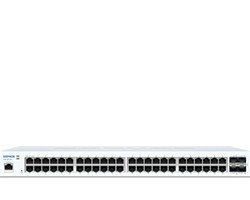
Sophos CS110-48
1U gigabit rackmount switch for larger offices and wiring closets that need high port density without PoE.
Shop CS110-48 →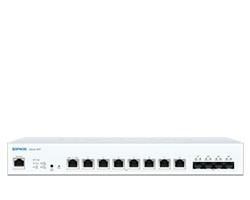
Sophos CS210-8FP
Multi-gigabit switching for offices running Sophos AP6 access points or workstations that have outgrown standard gigabit.
Shop CS210-8FP →
Sophos CS1010-8FP
The top of the Sophos Switch lineup, built for high-density environments that need full 10G throughput and maximum PoE power at every port.
Shop CS1010-8FP →What Sets Sophos Switches Apart
One Console for the Full Network Stack
Sophos switches run in the same Sophos Central account as your firewalls, access points, and endpoint protection. No separate console, no additional login. Port status, VLAN changes, and virtual stacking all happen from the same dashboard your team already uses, whether you're managing one site or many.
Active Threat Response at the Wired Access Layer
When Sophos MDR, Sophos XDR, or a third-party security tool flags a compromised device, Active Threat Response automatically isolates that host at the switch port level. The threat feed updates all Sophos switches and AP6 access points in the account at once, cutting off wired and wireless devices before they can move laterally, without waiting for manual intervention.
Multi-Gigabit Connectivity That Pairs with AP6 Access Points
Sophos AP6 access points have 2.5G LAN ports, and a standard 1G switch caps the backhaul before the AP can show what it's capable of. The CS210 Series matches that with 2.5G ports across the board. The CS1010-8FP goes further with 10G base-T on every port, making it the right switch for AP6 840E deployments where the full 8,350 Mbps aggregate matters.
Virtual Switch Stacking Without Proprietary Cables
Sophos Central switch stacking lets you group multiple switches and manage them as one unit without proprietary stacking cables. Physical links use standard Ethernet, SFP, or SFP+ ports, and Link Aggregation Groups add bandwidth and redundancy between stacked units. A valid Support and Services subscription is required to use stacking through Sophos Central.
Sophos Switches at a Glance
| Series | Best For | Port Speed | Form Factor | Key Feature |
|---|---|---|---|---|
| CS101 Series | Small offices, retail, branch locations | 1 GE · 8 ports | Desktop · Wall mount | CS101-8FP: 110W PoE budget · 2x SFP uplinks |
| CS110 Series | Mid-size offices, wiring closets | 1 GE · 24 or 48 ports | 1U Rackmount | Up to 740W PoE · 4x SFP+ uplinks · 256 VLANs |
| CS210 Series | Multi-gig AP deployments, dense offices | 2.5 GE · 8, 24, or 48 ports | 1U Rackmount | 2.5G ports for AP6 backhaul · 4x SFP+ uplinks |
| CS1010 Series | High-density 10G access layer | 10 GE · 8 ports | 1U Rackmount | 410W PoE++ · 32K MAC table · 4x SFP+ uplinks |
Sophos Switch FAQ
No, Sophos switches work without a subscription. Local web management, CLI, and SNMP are included in the hardware purchase price and stay available regardless of whether a Support and Services subscription is active. What requires a subscription is Sophos Central management, firmware updates, 24x7 phone support, and Advanced RMA replacement. Without an active subscription, Sophos Central goes into read-only mode for that switch. The limited lifetime warranty on the hardware is separate from the subscription and is not affected if you let the subscription lapse.
The main reasons are VLAN support, 802.1x port authentication, remote management, and Active Threat Response integration. Inexpensive unmanaged switches connect devices but give you no visibility or control over what is on each port. Sophos switches let you segment traffic with VLANs, authenticate devices before they get network access, monitor port status remotely through Sophos Central, and automatically isolate compromised hosts when a threat is detected. If you are already running a Sophos firewall or access points, the single-console management is an additional practical benefit.
The CS210 Series and CS1010-8FP are the best matches for Sophos AP6 access points. All AP6 models except the AP6 420 include at least one 2.5G LAN port. Connecting a 2.5G access point to a standard 1G switch port caps the backhaul at 1G and wastes the throughput the AP6 hardware can actually deliver. The CS210-8FP provides eight 2.5G PoE ports, which matches the AP6's backhaul capability. The CS1010-8FP goes further with 10G base-T ports and supports the AP6 840E's full PoE++ power
Login and Registration Form
Existing User